Which Type of Web Development Service Does Your Business Need?
Web development services include frontend, backend, full-stack, CMS, ecommerce, and web application development. Businesses choose among them based on their goals, features, content needs, integrations, growth plans, budget, and maintenance needs. Progressive web apps add app-like features, offline access, and installation on supported devices.
Thinkwebhub helps businesses choose Website Development, Web Design, app development, and website maintenance services. The most complex option isn't always the best one. A marketing website may need a fast, accessible frontend and an easy content editor. An internal portal may need secure login, a database, and several application programming interface connections.
This guide links each option to a common business need. It also covers responsive web design, web hosting, website security, search engine optimization, performance, accessibility, and software maintenance. Author: Debasis Sahoo.
Types of Web Development Services at a Glance
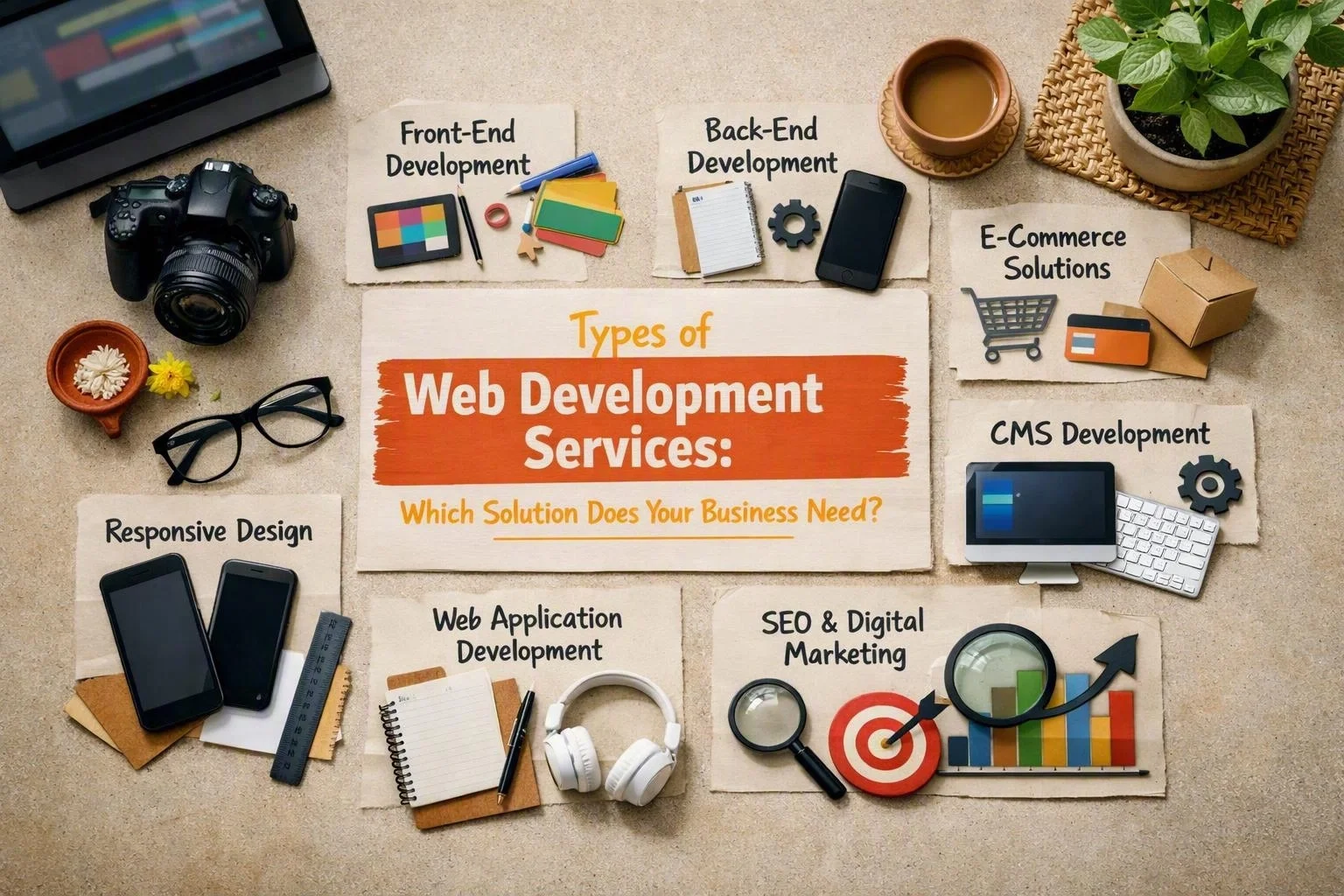
Web development services cover frontend and backend work, full-stack projects, CMS websites, ecommerce platforms, and custom web applications. The best choice depends on your goal, features, content process, integrations, users, security needs, and maintenance plans.
Each type can work alone or support a larger digital product. For example, an online store may use a responsive interface, backend server, database, content management system, and payment services. Small website projects often take several weeks. Custom applications usually need several months for planning, testing, and staged delivery.
| Type | Key Features | Typical Cost | Best For |
|---|---|---|---|
| Frontend development | Interface, layout, accessibility, browser interactions | Varies by page count and interaction complexity | Public-facing website experiences |
| Backend development | Business logic, databases, authentication, APIs | Varies by data, security, and integration needs | Systems requiring secure processing |
| Full-stack development | Frontend and backend delivered as one solution | Varies by complete project scope | End-to-end digital products |
| CMS website development | Editable pages, publishing workflow, SEO controls | Varies by design and editor requirements | Content-led businesses and marketing teams |
| Ecommerce website development | Catalogue, cart, checkout, payments, orders | Varies by catalogue and transaction workflow | Online stores and subscription sellers |
| Web application development | Custom workflows, dashboards, accounts, integrations | Varies by business logic and scalability | Internal tools and customer portals |
“Typical cost” is shown as a range category instead of a fixed price. Data protection, third-party integrations, hosting, browser support, and future changes can greatly affect total ownership costs.
Frontend, Backend, and Full-Stack Development
Frontend development is the part people see and use in a browser. It controls the interface, layout, responsive web design, accessibility, forms, navigation, and browser actions. Good frontend work helps visitors know what to do next on a website, booking flow, portal, or store.
Frontend engineers build page structure, styles, and interaction logic. They check screen sizes, keyboard use, colour contrast, loading speed, and browser behaviour. Web Design sets the visual direction, while development turns that direction into reliable interface components.
Backend development is the server-side part of a website or application. It manages business rules, user login, permissions, database queries, files, alerts, and application programming interface endpoints. A backend can validate an order, store a form, calculate a membership rule, or connect accounts to another system.
The database should match the information a business collects and uses. Security controls protect passwords and sensitive records. Monitoring and backups also help teams recover from problems. A backend may use managed web hosting or a custom cloud setup, depending on traffic and daily needs.
Full-stack development combines the frontend and backend layers. It works well when one team must manage the interface, server, database, and API. This can reduce handoffs, but the project still needs clear planning, testing, documentation, and post-launch ownership.
Choose frontend work when your backend already exists and needs a better interface. Choose backend work when existing screens need secure processing or new integrations. Choose a full-stack build when you need an end-to-end foundation. We also check browser support, accessibility, performance, data protection, and expected traffic.
CMS Website Development for Flexible Content Management
CMS website development builds a website around a content management system. It lets teams create, edit, organise, and publish content without changing code for every update. This suits businesses that publish service pages, articles, case studies, news, landing pages, or media.
WordPress is a familiar CMS option, but the right platform depends on editor roles, content types, hosting, security, integrations, and team skills. A small team may need a simple editor. A larger organisation may need approvals, scheduled publishing, reusable blocks, multilingual content, and permission controls.
Plan the publishing process before building templates. Decide who writes content, who reviews it, what needs approval, and how edits are tracked. This keeps the system easier to manage after launch. Clear labels, useful fields, and training matter as much as the visual design.
CMS solutions can support search engine optimization with editable titles, descriptions, headings, image text, redirects, internal links, and fast templates. These controls don't guarantee rankings. They do make useful, technically sound content easier to manage.
The main benefits include faster updates, less developer support, and room to grow. Possible problems include plugin conflicts, complex editors, update work, and security risks. Content-led businesses should weigh simple publishing against ongoing software maintenance.
For a brochure site, service business, publisher, or campaign team, a CMS is often a practical middle ground. It offers more flexibility than a fixed static site without the cost of a custom application. We can also plan the content model for future sections.
Ecommerce Website Development for Online Sales
Ecommerce website development creates an online store for products, payments, orders, and customer accounts. It suits businesses that sell physical goods, digital products, subscriptions, appointments, or other services online.
An ecommerce platform usually includes a product catalogue, categories, search, product pages, stock details, cart, customer records, checkout, and order tools. The payment gateway should support your payment methods, fraud checks, refunds, taxes, and regional rules.
Checkout needs careful planning. Unclear delivery details, surprise fees, poor mobile layouts, and long forms can make customers leave. We review the full journey, from product search to order confirmation. That includes errors, guest checkout, account creation, and order emails.
Product data also affects daily work. A store may need variants, bundles, downloads, stock rules, discount codes, customer groups, or recurring billing. Map these needs before choosing a platform or setting the project budget.
Online stores can connect with accounting tools, fulfilment providers, customer relationship systems, marketing tools, shipping services, and marketplaces. Each integration adds value, but it also creates testing needs and possible failure points. Clear API plans and backup procedures help protect daily sales.
The benefits include a direct sales channel, measurable customer journeys, and automatic order records. The trade-offs include payment rules, catalogue work, support requests, security checks, and platform updates. A store needs more than attractive Web Design. It needs reliable processes behind each sale.
We match the build to your catalogue, sales model, fulfilment process, users, and growth plans. A small range may need a focused store. A larger operation may need advanced search, stock syncing, account tools, and stronger hosting.
Web Application Development for Custom Business Functions
Web application development creates interactive software that runs in a browser. It supports a specific business or user process. Unlike an informational website, a web application lets people sign in, enter data, make choices, track progress, and complete tasks.
A custom web application may support staff schedules, customer onboarding, document reviews, reports, learning, bookings, claims, stock, or project work. Planning starts with business rules. Teams must know which actions users can take, what information they need, and what happens after an error.
Plan user authentication and authorisation early. Authentication confirms a user's identity. Authorisation controls access to features and records. Strong sessions, secure passwords, careful permissions, audit records, and data protection reduce common risks.
Dashboards can show tasks, trends, alerts, or account details. They should help users act, not just display data. We consider user roles, common tasks, accessibility, mobile use, response times, and the guidance occasional users may need.
API integration lets an application share data with payment providers, calendars, accounting systems, identity services, logistics tools, or internal databases. Integrations need error handling, access controls, monitoring, and a plan for provider changes.
A custom system can match exact workflows and support useful automation. It also needs more planning, testing, hosting decisions, and ongoing care. A simple CMS shouldn't be forced to act like an application. A custom app isn't needed when a standard tool already works.
A progressive web app can add app-like behaviour, offline features, and installation where supported. We define a focused first release, test real tasks, and plan improvements from usage, support needs, security findings, and growth.
Progressive Web Apps for App-Like Web Experiences
Progressive web app development adds installation, offline features, and app-like behaviour to a web application. It keeps the broad reach of the web. This can help field teams, repeat customers, delivery staff, learners, and people with weak internet connections.
A service worker runs in the background. It can manage cached pages, selected network requests, and offline features. The design must define which pages work offline and how unsent data stays safe until the connection returns.
A web app manifest describes the name, icons, display mode, and launch behaviour. With responsive design, it can make a browser product feel consistent across supported devices. Browsers and operating systems handle installation differently, so teams must test support.
Push notifications can support reminders, order updates, messages, or task alerts. They should be useful and permission-based. Too many alerts can reduce trust. Notification text also shouldn't reveal sensitive information.
The benefits include browser access, one web delivery model, optional installation, and selected offline support. Limits include browser differences, storage limits, notification rules, and the need to manage sync conflicts.
We suggest this approach when app-like access adds clear value, but a native app isn't needed first. Review device use, offline needs, security, data syncing, accessibility, and browser testing costs before deciding.
Website Maintenance and Ongoing Improvement
Website maintenance keeps a digital product secure, available, accurate, and useful after launch. It includes updates, security checks, backups, bug fixes, speed improvements, content changes, hosting checks, and integration reviews.
Test updates before releasing them, especially when a CMS, extension, framework, payment gateway, or API changes. Security monitoring can find unusual activity, old components, failed logins, and setup problems. A backup helps only when restoration has been planned and tested.
Bug fixes may address broken forms, layout problems, failed payments, browser issues, or wrong data. Speed work may involve images, caching, code, database queries, hosting, and third-party scripts. Use real problems to guide these changes.
Content updates keep services, policies, products, prices, staff details, and contact information accurate. We can also review analytics, search engine optimization, accessibility, and user feedback. This makes maintenance a planned process instead of an emergency task.
A maintenance plan should explain what gets monitored, how incidents are handled, who approves changes, and how backups are kept. It should cover web hosting, domain access, website security, browser changes, and editor support.
Every site needs a different support level. A simple information site may need occasional updates. An ecommerce system or customer application may need regular monitoring. We compare risk, traffic, sales importance, content activity, and integration needs.
How to Choose the Right Web Development Service?
The right web development service matches your business model and technical needs. Define the goal, list the features, review content and sales processes, check integrations and growth needs, compare the work involved, and plan security and maintenance before choosing.
Think about the full cost of ownership. A quick launch may create more admin work later. A custom build may offer more control, but it needs good documents and support.
For Website Development in Bhubaneswar, the same review applies as anywhere else. Match the recommendation to the audience and use case. A web development company should explain the trade-offs clearly. No single platform suits every organisation.
Our team can help compare web development solutions, web design and development, and wider IT Services or digital product development. The goal is a solution that's easy to maintain and ready for sensible growth.
To discuss your requirements, use the contact form.
Questions About Web Development Company
What Are the Different Types of Web Development Services?
The main types include frontend development, backend development, full-stack development, CMS website development, ecommerce website development, web application development, progressive web app development, and website maintenance.
What Is the Difference Between Frontend, Backend and Full-Stack Development?
Frontend development creates the interface and browser actions users see. Backend development manages server logic, databases, authentication, and APIs. Full-stack development covers both layers and coordinates the complete website or application.
What Is CMS Website Development?
CMS website development builds a site with a content management system. The platform lets teams create, edit, organise, and publish content through an editor. Routine page updates usually don't require code changes. WordPress is one common example.
What Is Ecommerce Website Development?
Ecommerce website development creates an online store with product catalogues, shopping carts, checkout, payment connections, customer accounts, and order tools. It may also connect with inventory, shipping, accounting, and marketing systems.
What Is Web Application Development?
Web application development creates interactive software for specific workflows. It may include login, dashboards, custom business rules, databases, role-based access, reports, and API connections for staff or customers.
What Is a Progressive Web App?
A progressive web app is a web application with app-like behaviour, installation, and selected offline features. It commonly uses a service worker and web app manifest. It may support push notifications and responsive design across supported browsers and devices.
Related Resources
Cheap Web Development Company Mistakes: What to Check Before Hiring
mistakes to avoid when hiring a cheap web development company
What to AvoidWebsite Development Project Scope Mistakes That Cause Delays and Extra Costs
common website development project scope mistakes
What to AvoidWebsite SEO Mistakes to Avoid Before Launch
What to AvoidWebsite Security Mistakes Businesses Make and How to Prevent Them
common website security mistakes businesses make